Voice selection
Find your match in the fish audio voice library
A voice library is a starting point, not a guarantee that a voice will suit every script. Fishaudio helps you think through the choice: shortlist voices by intended use, listen for clarity and expression, then test a representative passage before committing to a longer project.
One useful choice starts with the job
Decide what the voice needs to do before judging how appealing a short preview sounds. A calm narrator, an animated character and an instructional guide have different demands.
Three ways to narrow a shortlist
Treat a voice library as a set of candidates to test, rather than a catalogue where the first appealing preview wins.
-
1
Match the speaking role
Write down the audience and delivery style first. A documentary passage may need steady pacing and unobtrusive expression; a character line may need a wider emotional range. Describing the role makes it easier to reject voices that sound attractive but distract from the message.
-
2
Listen beyond the opening line
Compare candidates using the same passage, including names, punctuation and a longer sentence. Listen for intelligibility, emphasis, pauses and whether the voice remains comfortable over more than a few seconds. A polished short sample alone cannot answer those questions.
-
3
Check the intended workflow
Before settling on a voice, check the current product interface for the permissions, availability and usage terms that apply to it. A voice you can preview may not necessarily be appropriate for every public, commercial or repeated use.
Step-by-step: compare the same script
Use this table as a repeatable listening checklist. It contrasts a quick preview with a more useful project-specific test; it does not claim particular controls are available in any product.
- Quick preview
- Project-specific test
Text
Quick preview
A short sample chosen for presentation.
Project-specific test
The same passage from your actual script for every candidate.
Names
Quick preview
May not include unfamiliar names or terms.
Project-specific test
Includes the proper nouns your audience must understand.
Pacing
Quick preview
Reveals the rhythm of only a brief line.
Project-specific test
Tests a longer sentence and a natural pause.
Expression
Quick preview
Shows how one prepared sentence sounds.
Project-specific test
Checks whether emphasis suits the intended tone.
Consistency
Quick preview
Offers little evidence across different passages.
Project-specific test
Compares an opening, a transition and a closing line.
Decision
Quick preview
Good for making an initial shortlist.
Project-specific test
Better evidence for choosing a voice for the project.
Limits and edges: a preview is not the finished read
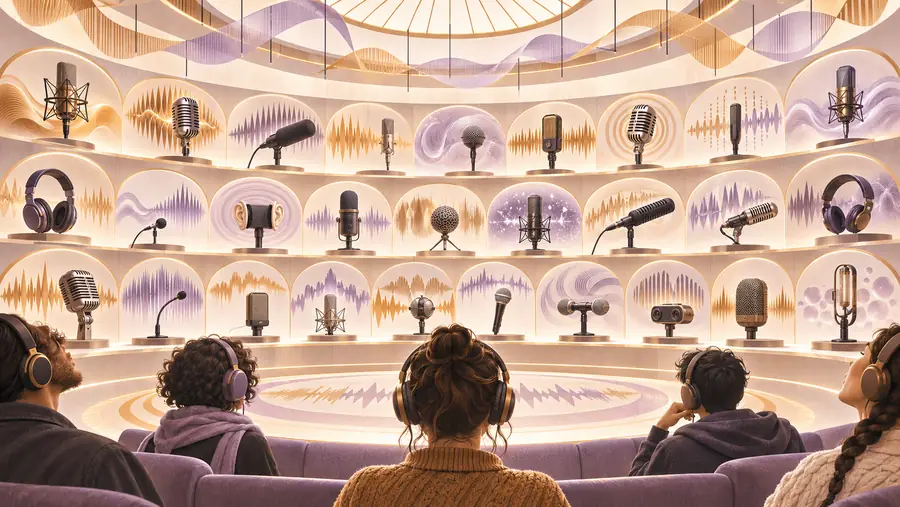
These images illustrate a browsing-to-testing workflow, not actual output from a specific voice or a verified product screen.
 Browse candidates
 Test a real passage
A few site numbers, with clear boundaries
These counts describe Fishaudio’s published site plan. They are not counts of available voices, supported speech languages or product features.
- The site plan lists English, French, Spanish, Portuguese, Japanese and German editions.
- 6 site locales
- The links above cover text to speech, cloning, voice changing and API considerations.
- 4 related guides
- The site plan lists 19 guides beyond its landing page, including this voice-selection guide.
- 19 topic pages
Ready to test your shortlist?
Take a real script into a voice workspace
Bring a short passage that represents the finished project, then compare candidates on clarity, pacing and tone. The destination is a separate product; check its current voice choices, terms and access requirements there rather than assuming they match the examples on this page.
Explore voice options- Use the same passage for each candidate
- Include a name or phrase that may be hard to pronounce
- Confirm usage terms before publishing
Voice library questions
A voice library helps you compare possible speaking styles before choosing one for a script. The useful question is not just which preview sounds best, but which candidate stays clear and appropriate when reading your own material.
Start with the audience, subject and desired pace, then shortlist voices that fit those needs. Compare them with the same representative paragraph and pay attention to pronunciation, pauses and listener fatigue.
No. Selecting a voice means choosing from available candidates, while cloning generally involves creating a voice based on a recording. If a recording belongs to someone else, obtain the necessary permission and check the applicable terms before using it.
Not reliably. A preview may omit the long sentences, unusual names or shifts in tone that matter to your project. Test several parts of the real script when that option is available.
Do not assume so. Availability and permitted uses can differ by voice and may change, so review the current product terms and any voice-specific conditions before publishing or distributing audio.